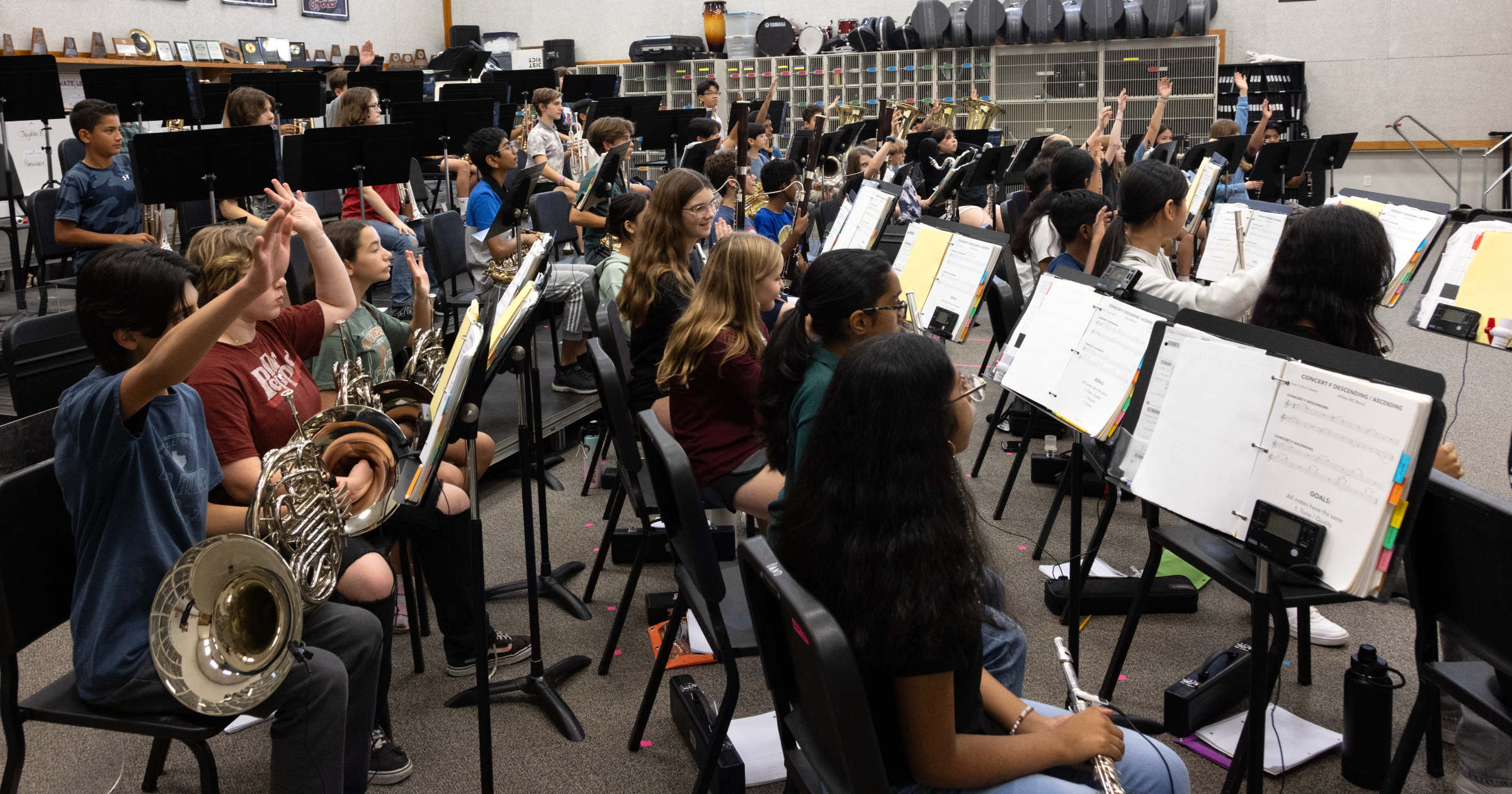
Every music teacher knows the heavy administrative weight that comes with live evaluation cycles. When your calendar is packed with major performance goals, like an invited showcase at the Midwest Clinic, the challenge isn’t a lack of student talent; it’s the finite number of instructional minutes before the opening downbeat.
For Head Director Taylor Williamson and Assistant Directors Rachel Johnstone and Christina Davidson at Knox Wiley Middle School in Leander, Texas, navigating a historic performance cycle required a major shift in tactical preparation. Instead of spending precious class time drilling baseline mechanics, the Wiley team decentralized the note-learning process by integrating MakeMusic Cloud directly into their weekly curriculum.
The structural blueprint they built didn’t change how they taught; it enhanced their existing systems, automated part-checking at home, and built a self-correcting rehearsal culture where students arrive performance-ready.
The Note-Checking Bottleneck: Reclaiming Rehearsal Real Estate
In traditional ensemble settings, directors frequently find themselves stuck in a cycle of listening to students play lines one-by-one during sectionals or class blocks. This manual tracking often means valuable minutes are chewed up assessing students who are fundamentally unprepared, leaving the rest of the room idle.
“We use MakeMusic Cloud to take some things off of our plate that software can handle,” says Taylor Williamson. “For us, the way that we specifically use it is as a preliminary check on the notes and rhythms of any piece of music we play.”

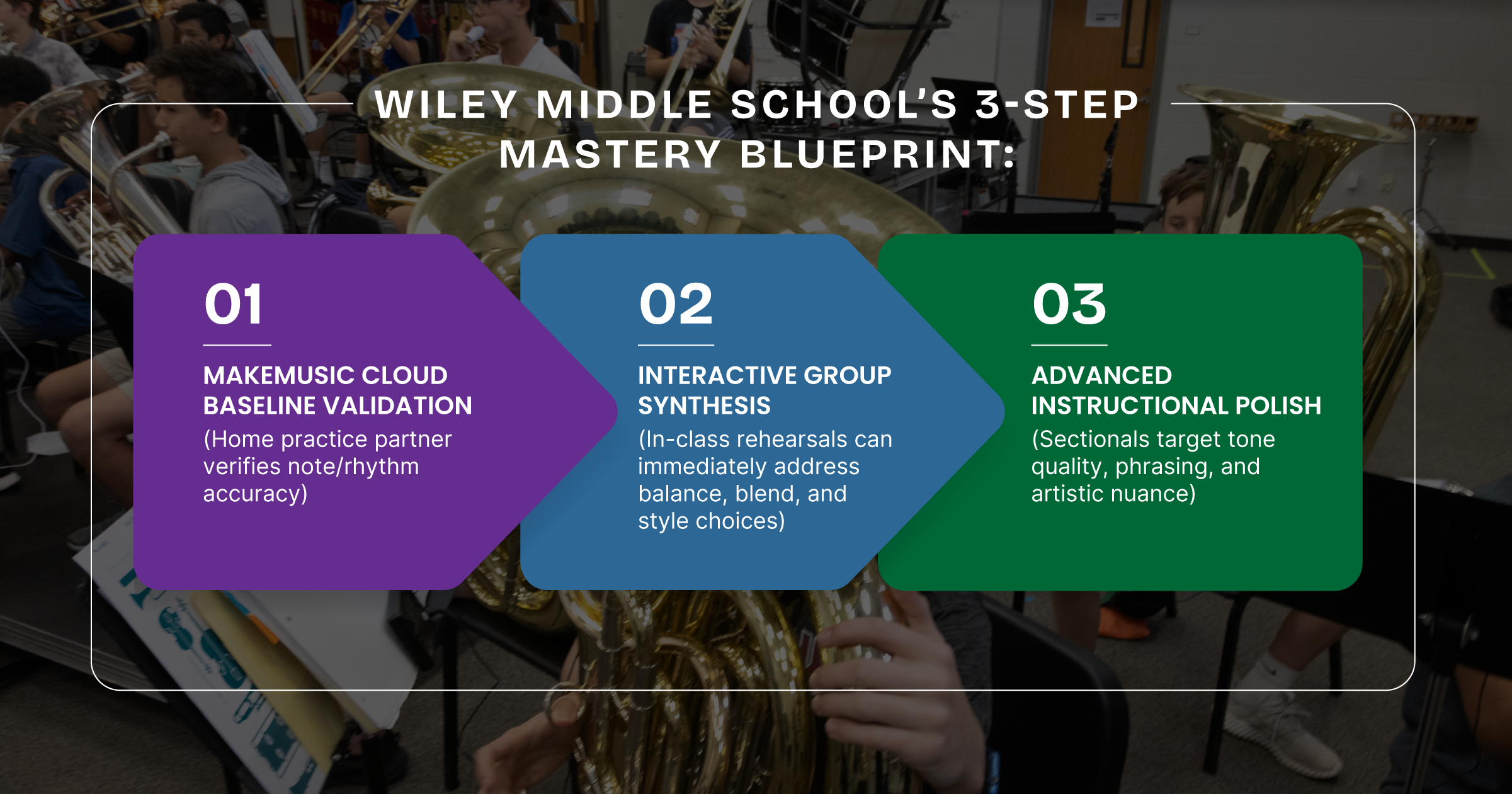
To eliminate the note-checking bottleneck, the Wiley team instituted a clear, programmatic rule: before a student ever plays a new piece of repertoire in the live classroom, they must earn a target score of 90 or higher on their assigned platform chunk.
“We say 90 or higher because getting a 100 is very challenging for a lot of kids,” notes Williamson. “We just want to see: do you have a baseline understanding of the notes and rhythms so that when you come to class you feel more confident that you can contribute in a very positive manner? It doesn’t take away the process; it speeds it up.”
The Gamified Launch: Designing Full Student Buy-In
Educators often worry that introducing assessment software will create technical friction or student pushback. The Wiley team bypassed this challenge by executing a highly structured, one-day platform rollout explicitly designed to feel low-stress and rewarding.
- The Onboarding Setup: The directors took a single, 45-minute class period where students brought their devices. Utilizing a seamless Google Classroom sync, rostering was completed instantly. Directors projected the platform onto the screen, walking students through microphone setups and showing them how to navigate the user interface.
- The Low-Stakes Exploration Assignment: Launched on a Friday, the students’ very first assignment was not their concert repertoire. Instead, they were given 10 minutes over the weekend to simply explore the catalog, dig into pop music and movie favorites, and get comfortable with the tools.
- The “Computer Game” Framing: By framing the software as a cool computer game with automatic feedback, practice instantly transformed from an isolated chore into an engaging, interactive loop.
“The reviews that we got back from the kids were amazing,” recalls Christina Davidson. “They came back on Monday and said, ‘This is so cool. This was the piece that I was missing at home in my practice. I can get visual, instant feedback when I’m at home, and that makes me feel more confident in myself.'”
Protecting Sectional Minutes: Skill-Building vs. Grade-Checking
By automating baseline part-verification at home, the program radically transformed Wiley’s sectional windows from passive testing blocks into highly productive laboratories.
During the first semester, 95% of Wiley’s sectional blocks are dedicated entirely to fundamental individual skill-building: scales, advanced scale patterns, flow studies, and Remingtons. However, before a student is permitted to execute a live performance attempt on their scale pattern in front of a director, they must validate it by achieving a 90 or higher in the platform first.
If a student has not submitted their baseline score by the deadline, it goes into the school grade book as a missing assignment until the digital target is achieved.
“This has helped us save so much time in sectionals,” says Rachel Johnstone. “In years past, we would spend time in sectionals listening to students who aren’t prepared and haven’t learned their notes and rhythms just to give them a low grade. Now, they come in having already learned their notes and rhythms. It gives us the data to track preparation and allows us to get through significantly more content.”
Overcoming Resistance & Building Technical Security
Every program has outliers: students who struggle with timelines or procrastinate out of fear of being told they are playing incorrectly. To support these learners without adding manual admin weight to the directors’ plates, the Wiley team built clear accountability systems.
For students lagging behind, directors utilized practice rooms during sectional time to guide them through structured attempts, reinforcing that the immediate feedback was a supportive tool, not a punishment. Furthermore, for non-varsity ensembles, the directors utilized a visual objective chart. The moment a student hits their 90% platform threshold, they earn a physical sticker next to their name on the classroom wall. This simple, visible reward loop drove immense cultural pride, with non-varsity students actively asking, “Can you assign the new music already? Have you added it yet?”
The software also unlocked a crucial technical feature for young players: the ability to manipulate the built-in tempo controller. Directors lock in the exact target tempos required for performance, holding students accountable to steady metronome practice while allowing them to slow down complex phrases to work out trickier passages at home.
The Director’s Verdict: Elevating the Entire Community
Beyond the performance metrics, the true impact of the platform was felt in the profound development of student confidence. Shifting note-validation behind closed doors allowed nervous, quiet students to step up as confident on-stage soloists, backed by a tight-knit program culture where students constantly celebrate each other’s growths.
“I would highly recommend it for anybody that’s on the fence,” says Davidson. “It makes practicing feel a little bit more fun. Instead of just you by yourself, it gives you a reference or a tool to use. It’s ultimately going to elevate your kids a lot and give them more confidence on an individual level.”
Taylor Williamson echoes the sentiment, noting that the ripple effect of this systematic execution transforms the entire community: “The parents buy in, the students buy in. It creates this ripple effect where the whole thing gets better. It balances your curriculum, streamlines your rehearsal, and creates a baseline of trust across your entire program.”
Reclaim Your Instructional Time
Stop wasting precious rehearsal minutes grading baseline notes and rhythms. Discover how simple it is to activate MakeMusic Cloud’s Google Classroom sync and automate student part-preparation here.