As every music educator knows, a great performance is rarely a solo effort. It takes a team of directors, sectional coaches, student teachers, and performers to bring a program to life. Yet, for too long, the digital side of the classroom has felt like a one-person job.
We heard you. You asked for a way to share the load without sharing your password.
Now, we’re handing over the second baton. Co-teaching has officially arrived in MakeMusic Cloud.
Share Your Workload, Not Your Passwords
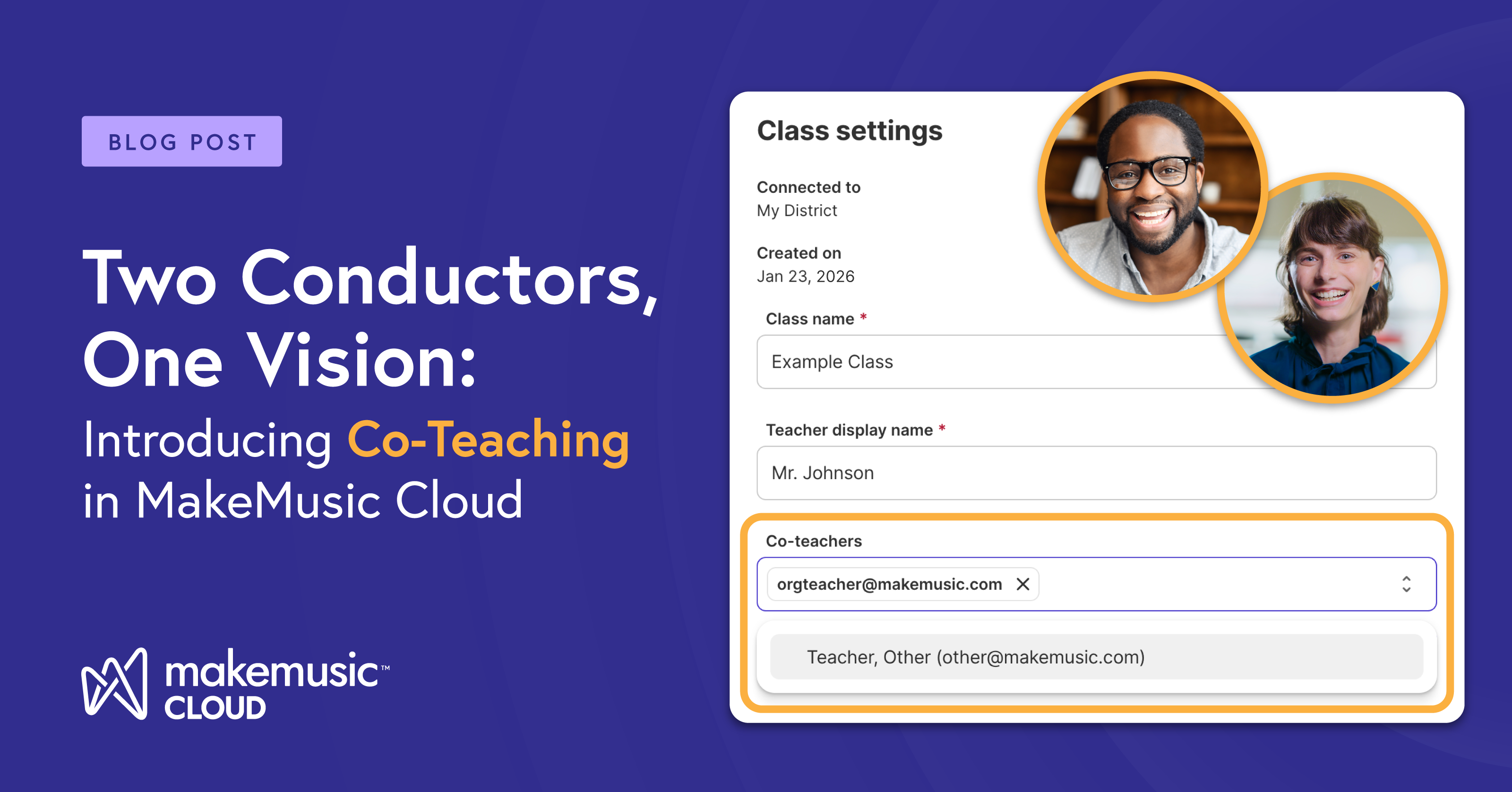
In the past, collaborating on digital assignments often meant a clunky workaround: sharing login credentials or manually duplicating classes. Those days are over. Now, you can invite a colleague to your paid class, allowing you both to manage the ensemble from your own unique accounts.
It’s more than just a feature update—it’s about reclaiming your time, protecting your security, and sharing the workload.
Solution: Divide and Conquer the Grading
When you have 200 playing tests to listen to, the “human feedback” we value so much can feel like an impossible mountain to climb.
- The Shift: With Co-teaching, you can split the “Checkpoint” assignments. Your assistant director can focus on the woodwind articulations while you deep dive into the brass phrasing.
- The Win: Students get faster, more detailed feedback, and you get your Sunday evening back.
Solution: Seamless Sectional Support
If you work with specialized coaches or student teachers, you can now give them the “keys to the room.”
- The Shift: Instead of you spending 30 minutes creating custom rhythmic exercises for the percussion section, your percussion specialist can jump into Sight Reading Studio or Compose and assign it themselves.
- The Win: Differentiated instruction happens in real-time, led by the experts who know those students best.
Solution: Boosted Collaboration
When multi-discipline performances come up you are covered.
- The Shift: Keep special projects like school musicals, Veterans Day programs, and more on track in a way that your students already understand while allowing access to all program directors at the same time.
- The Win: All directors can review submissions and assign materials—without anyone asking, ‘Can you forward me that login?’
Solution: Professional Boundaries
We all know that security is sanity. Sharing passwords isn’t just a hassle; it’s a risk.
- The Shift: Each educator maintains their own profile, Gradebook access, and notification settings.
- The Win: A professional, streamlined workflow that keeps student data secure and teacher identities separate.
Ready to Invite Your Co-Conductor?
Adding a co-teacher is as simple as a few clicks within your Class Settings. No extra “admin weight,” no manual roster uploads—just pure collaboration.