
You’ve learned the names, survived instrument rental week, and your ensemble is starting to sound like an ensemble. Now comes the tricky part: finding out what every student actually knows and can do before the first grading period closes and fall concert prep takes over.
It’s still early enough in the year to set new routines.
If your MakeMusic assignments have mostly been performance assessments from the Music Catalog, now is a good time to add two more flexible options: Audio/Video-only assignments and Multiple Choice assessments. Below is a ready-to-use lesson plan for each, built for middle and high school ensembles.
Audio/Video-Only Assignments: Understanding Student Practice
Audio/video-only assignments make it easy to see and hear what practice actually looks like when you’re not in the room. The recording also gives students something they rarely have when practicing alone: a clearer view of their own practice habits.

Homework Assignment: Record, Watch, Fix (Band or Orchestra, 15 minutes at home)
Goal: Students learn to catch and correct their own posture and hand-position habits during home practice.
- Teacher setup (5 min). Create an Audio/Video-only assignment with this prompt: “Film yourself from the side playing your concert B♭ scale (strings: D major). Watch your video, fix one thing, then record and submit a final take.” Include a three-item checklist: posture, hand position, and embouchure or bow hold.
- Record a first take. Students set up a phone or laptop, play the scale, and record. They don’t submit this take.
- Watch with the checklist. Students watch their video and compare it to the checklist. Most will spot something right away, such as a slouch, a collapsed wrist, or puffed cheeks.
- Fix one thing. Students choose the single biggest issue and practice the scale a few times while focusing only on that fix.
- Record and submit the final take. In the comments box, students name the one thing they fixed.
- Teacher follow-up. Grade the final take with the same checklist and reply to the student’s comment. Assign the homework again in two weeks so the self-check becomes a habit.
Multiple Choice Assessments: Know It Before You Play It
Multiple Choice is MakeMusic’s first written assessment type. You can build questions with text, your own images, or both. It’s a powerful practice-prep tool: when students understand what’s on the page before they pick up their instrument, they spend home practice improving instead of repeating the same mistakes.
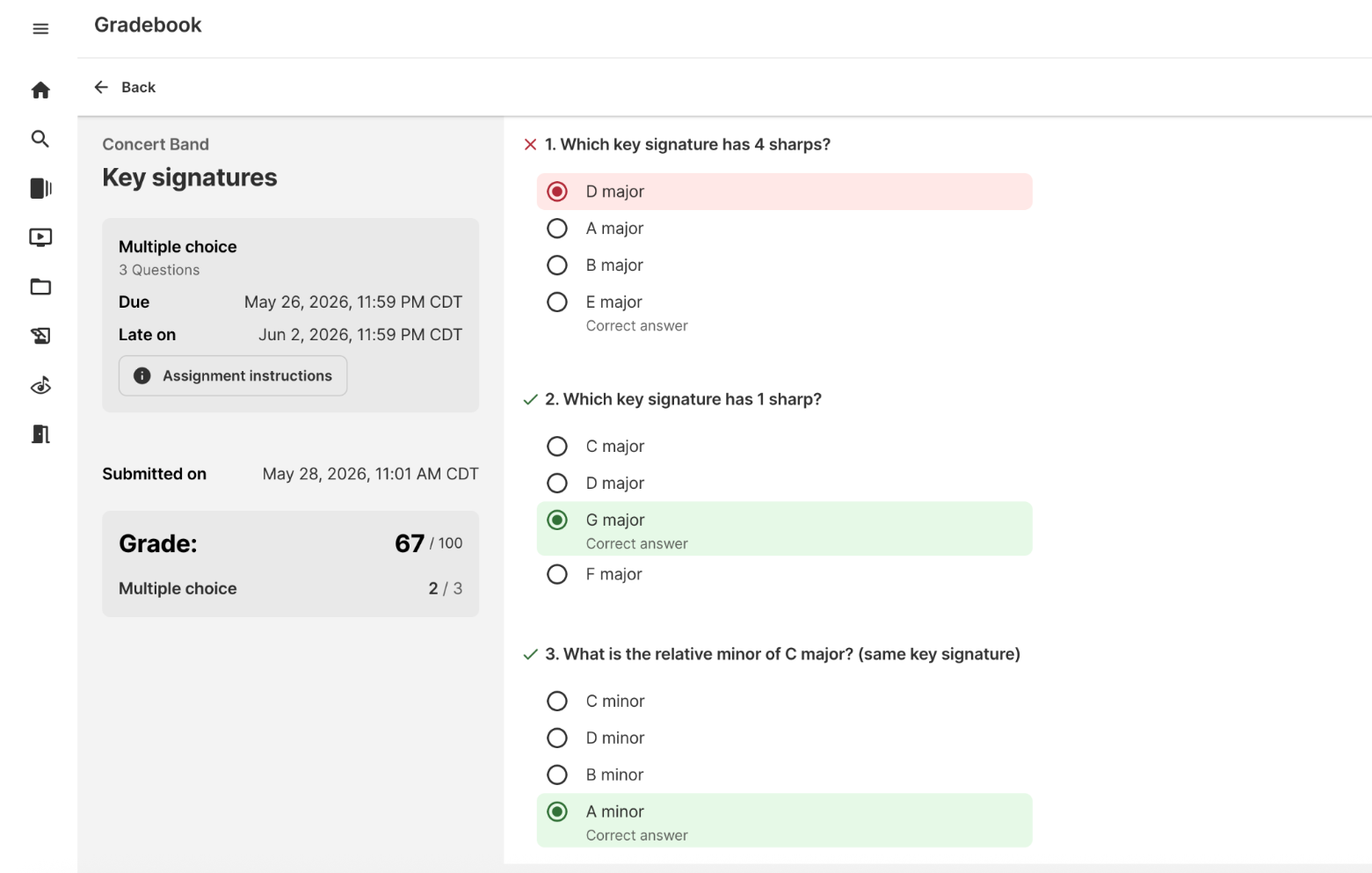
Homework Assignment: The Pre-Practice Check (Any Ensemble, 5 minutes at home)
Goal: Students identify the key signature, rhythms, and markings in a new concert piece before practicing it at home.
- Teacher setup (15 min). Create a five-question Multiple Choice assignment using screenshots of tricky spots in your fall concert piece. For example: “What’s the key signature?”, “Which note is affected by this accidental?”, or “What does this marking in measure 24 mean?”
- Pair it with practice. Assign the quiz alongside a performance assignment on the same piece. The instructions tell students to complete the quiz first.
- Take the quiz. Students answer the five questions at home. It takes about five minutes.
- Practice with the answers in mind. Students open the performance assignment knowing where the accidentals, key changes, and tempo shifts are.
- Teacher follow-up. Check the quiz results before the next rehearsal. If most of the class missed the same question, spend two minutes on it at the start of class.
- Reuse it. Save the quiz and give it with the next new piece, or to next year’s ensemble.
Build a Balanced Weekly Routine
Once these lessons are in place, mix assignment types throughout the week:
- Monday: A performance assignment from the catalog or Sight Reading Studio
- Wednesday: A five-question quiz on this week’s terms or symbols
- Friday: A short video technique check
This routine covers playing, understanding, and technique without adding hours to your planning. With Google Grade Passback, scores sync to your Google Classroom gradebook automatically.
Start Small, Start Now
You don’t need to overhaul your curriculum. Pick one of these lessons for next week and see what it tells you about your students. To get started, log in to MakeMusic and open the Create menu.
New to MakeMusic? Start a free trial and try every assignment type before your next rehearsal.