You spend your days in the room with your students modeling tone, correcting posture, building ensemble skills, and doing the hundred other things that make you a great director. But what happens when they go home and open that instrument case alone?
That’s where the practice tool you select comes in. If you’re choosing one to support your students, it’s worth thinking carefully about what that experience actually feels like from their side of the screen. It needs to be easy to navigate, have as few barriers as possible, and genuinely help when something isn’t going right. We’ve been systematically updating the practice experience in MakeMusic with exactly that in mind, and whether you’re new to MakeMusic or have been with us for years, the why behind the tool matters.
Break Down Barriers Before They Even Begin
We all know the hardest part of practicing is getting the instrument out of the case: simply getting started. Everything after that is easier, but only if the tool gets out of the way and lets the music happen.
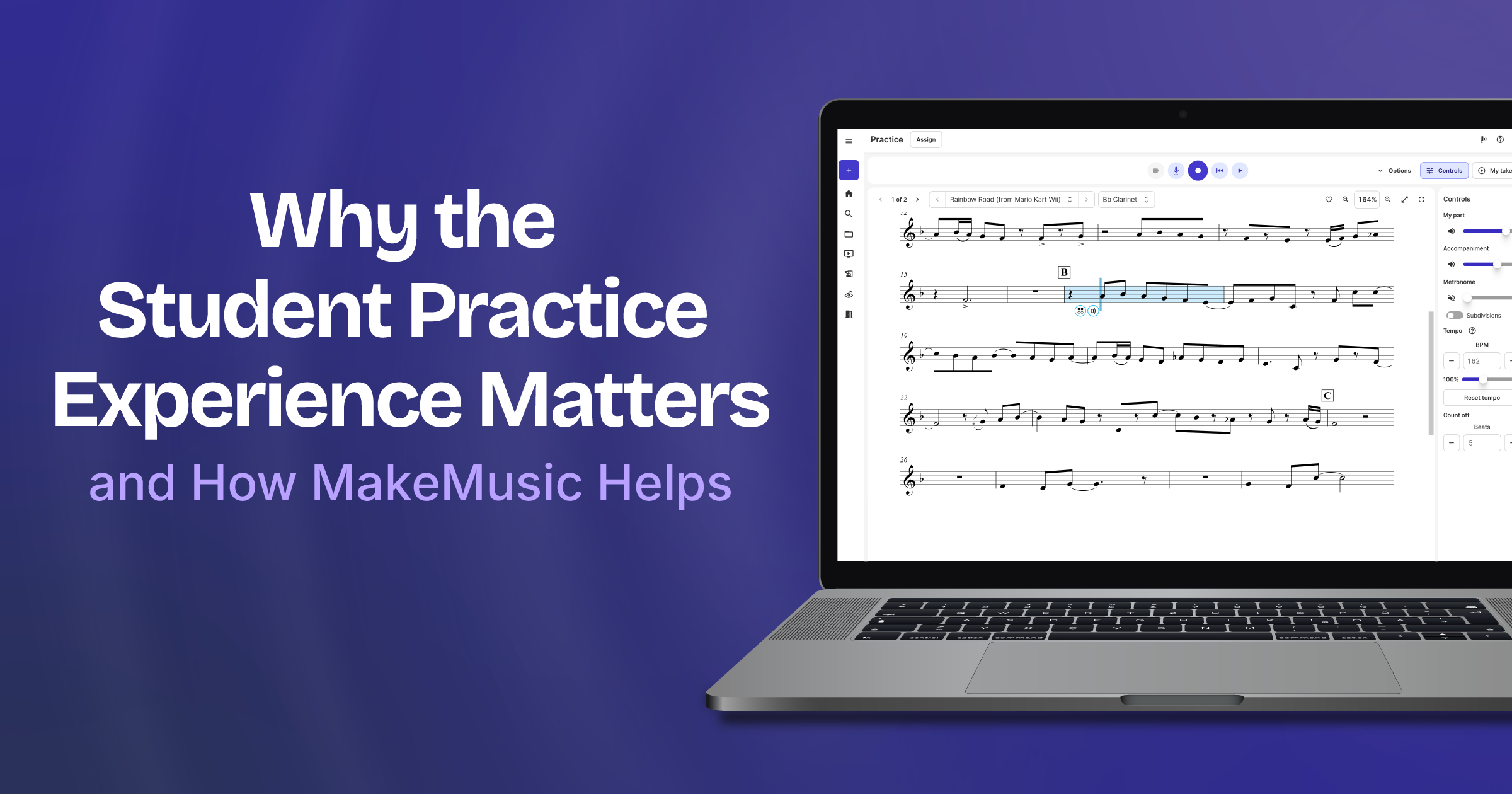
The updated Practice experience in MakeMusic uses screen space efficiently, with collapsible controls designed to support student focus. The Record and My Takes menus are easy to find, so students aren’t burning mental energy figuring out how to use a tool while simultaneously trying to learn a new piece of music.

Think about your youngest musicians for a moment. They’re holding an unfamiliar instrument, decoding musical notation for the first time, and navigating the entirely separate (and very real) challenges of just being a kid. The last thing they need is a confusing interface adding to that cognitive load. They deserve a practice experience that is friction-free and genuinely supportive. We built this update with them in mind.
No Excuses, Just Support
The best practice tools don’t just play back; they coach. Here’s what is waiting for your students every time they open MakeMusic:
- Fingering Check: Two clicks, and a student can look up any fingering. Multiple options appear when they exist, so students have options without being left guessing.
- Pitch Reference: Students can check any pitch, play a test note, and pull up a tuner all without leaving their music. The tuner even opens in a separate window that stays accessible throughout the entire practice session.
- Simple Tempo Adjustment: When a student slows things down to work through a tricky passage, the accompaniment adjusts right along with them, and it still sounds great. No choppy, robotic playback killing the musical experience.
- Practice Loops: A teacher and student favorite, now easier to find than ever. Drag the beans to set the desired start and end points, hit play, and work. You can even set the loop to increase the tempo with each rep. That’s a pretty solid practice partner right there.
- Smart Feedback After a Take: Sometimes “right” and “wrong” just isn’t enough information. After recording a take, students get performance stats alongside the standard red and green feedback, and they can click in for more detail. They can even listen to what MakeMusic heard with a replay feature that helps them actually diagnose what went sideways instead of just seeing that something did.
- Dori, the Motivational Cat: Don’t underestimate this one. Dori encourages students to log in and keep their practice streak alive, and she earns XP that can be used to upgrade and customize her look. If you haven’t heard your students comparing Dori colorways in the hallway yet, you might be surprised. Sometimes a little friendly motivation is exactly what gets a student to open the app on a Tuesday night.

You Be the Expert, We’ll Be the Support
Here’s the bottom line: you are the one teaching the musical skills your students will carry with them for the rest of their lives. You’re building technique, community, developing ears, and fostering a love for music. That all happens because of you, not a software platform.
Our job is to support what you’re already doing and be the best possible practice partner for your students when you’re not in the room. The tools are important, but they’re just one part of the recipe. What we’re really trying to build is an experience that helps young musicians feel capable, supported, and maybe even a little excited to practice so that when they do walk back into your rehearsal, they’re ready to make music with you.
That’s the goal. And we think we’re getting closer.
New to the MakeMusic practice experience? Start a free trial and see what you’ve been missing.