There’s a reason music educators are a breed set apart. The before-school sectionals, the late-night concert prep, the sheer love of the craft that keeps you coming back every school year. It’s something that’s genuinely hard to explain to anyone outside the profession. What is easy to explain? That when over 1,200 of you responded to our recent music educator survey, you didn’t hold back. You told us what’s working, what you love, and, most helpfully, what actually made a difference in your classroom last school year. So we’re handing the mic right back to you. Here are the five MakeMusic features that teachers said saved their year.
Red/Green Note Feedback: The Feature That Changes Practice Behavior Overnight

Ask any student how their practice went and you’ll get one of two answers: “Good” or a shrug. Red/green note feedback changed that dynamic for so many of you, and the reason is pretty simple.
Students are wired for instant feedback. It’s the same reason they can spend three hours on a video game but struggle to focus for 20 minutes of practice. When MakeMusic lights up their screen with immediate, note-by-note results, it creates that same pull. They want to try again. They want to get more green.
But it’s more than just gamification. Unlike a teacher saying “that phrase was a little rough,” red/green feedback is specific and actionable. Students know exactly which note missed the mark, and the tools to address it (fingering checks, tempo adjustments, pitch reference, etc) are right there. That’s a powerful shift from passive frustration to active problem-solving.
Audio/Video-Only Assignments: Flexibility That Opens the Floodgates

This one is newer to the feature stack, and based on your survey responses, it hit the ground running.
For years, MakeMusic assignments were tied to content in the Music Catalog, which, to be fair, is massive. But you told us you wanted more flexibility, and we listened. Audio/Video-only assignments let you assign anything you can dream up, without being limited to what is already in the catalog.
Here’s how teachers are actually using it:
- Proof of practice. Students record themselves to show they actually sat down and worked. Whether it’s a daily warm up routine, rhythm counting sequences, or basic posture checks. Accountability, documented.
- Custom scale patterns. Want students to record your specific exercise or articulation drill? Assign it without uploading a single file.
- Marching show memorization. Have a show with choreography? Assign a video submission and assess memorization + movement directly. Yes, really.
The creative applications teachers shared blew us away. If you haven’t explored this feature yet, it’s worth a serious look.
Sight Reading Studio: From Curricular Gap to Daily Habit
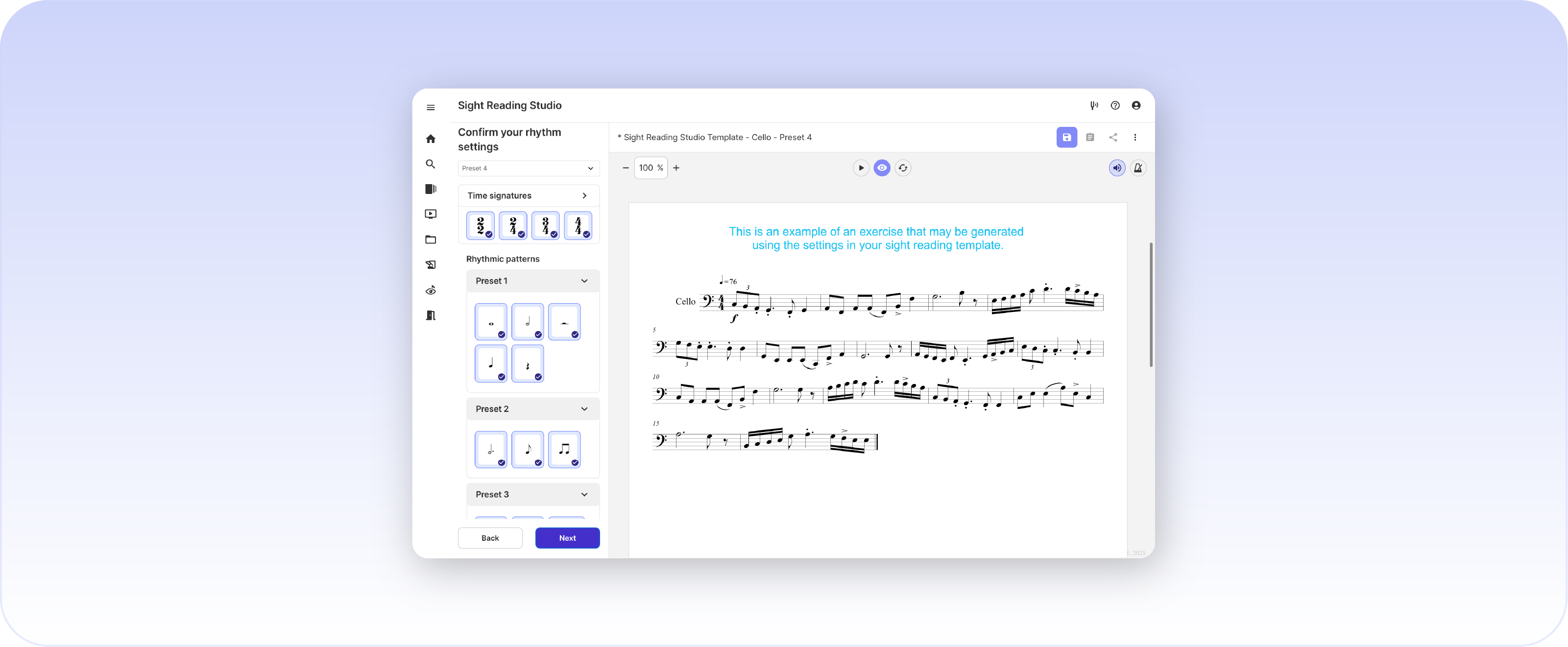
Here’s something we’ve heard more than once: sight reading used to feel like the thing teachers knew they should be doing more of but could never quite fit in. That’s changing.
Sight Reading Studio is built to flex around your students’ needs. Once you’ve dialed in your preferred settings, one click generates a brand-new exercise, and the algorithm makes it nearly statistically impossible to get the same exercise twice. Fresh material, every time, with almost no prep on your end.
The range of applications is wider than you might think:
- Use it with beginners who are just learning to decode rhymes, note names, or solfege.
- Use it with advancing students who need to sharpen real-world reading skills.
- Use it for yourself on a slow afternoon (no shame, it’s actually fun!)
When something is easy to pull up, it stops being a special occasion and starts being a habit. That’s exactly what sight reading needs to be.
Compose: You’re Getting Creative, and We’re Here For It

The survey responses citing Compose genuinely surprised us in the best way. Teachers are using the integrated composition tool in ways we love to see. A few standouts:
- Tempo progression assignments. Take the same four-measure phrase, duplicate it, and adjust the tempo incrementally. Students work through the same passage across a range of speeds, all in one assignment.
- Custom technique exercises. Build scales and technical exercises exactly how you want your students to play them. Your bowings, your articulations, your tempo.
- Summer show prep. Upload your marching show music so students can work out the notes over break. Come back in August and skip the “I forgot everything” phase.
The catalog is great, but Compose is where MakeMusic becomes truly yours.
Co-Teaching: Share the Load Without Sharing a Login
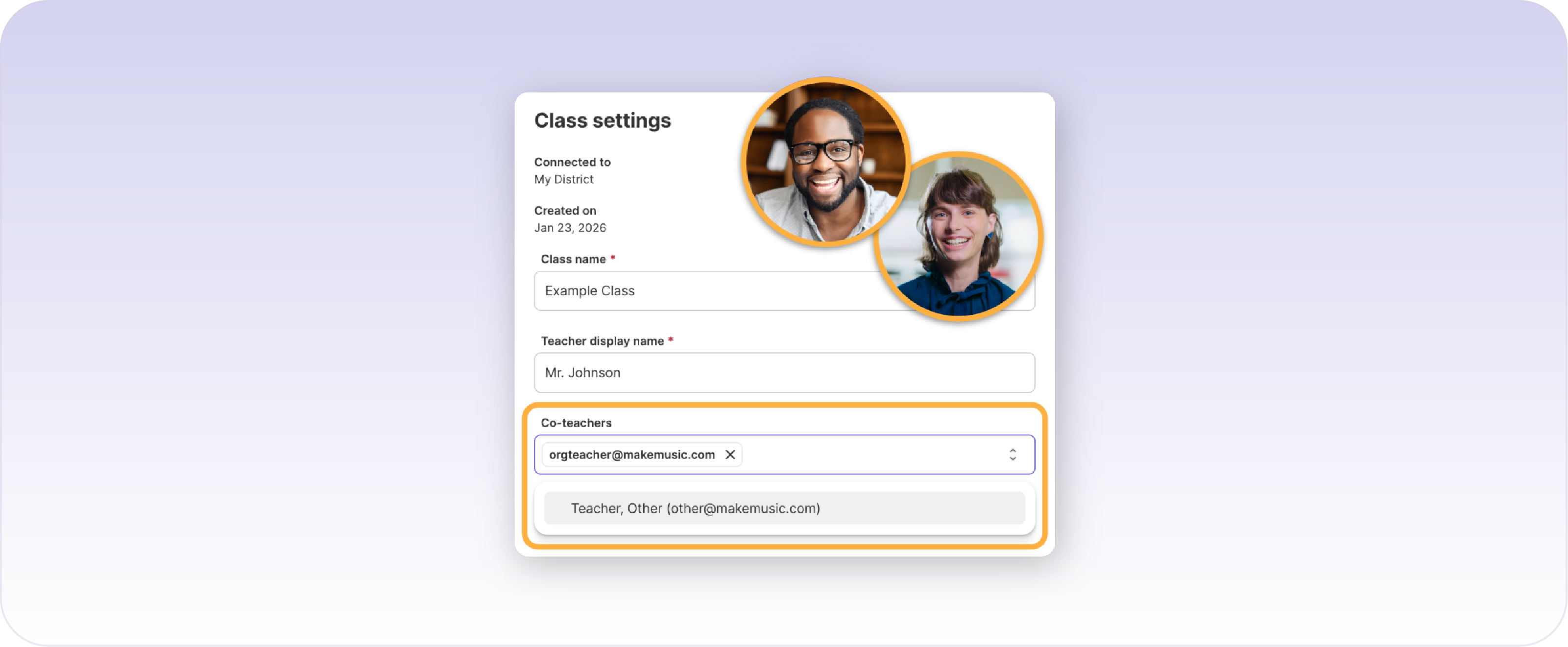
Rounding out the top five lifesaving features from last school year is another newer feature, and one of the most requested we’ve ever released. Co-Teaching made the list because it solves a real problem that a lot of departments quietly struggle with: how do you collaborate without creating a security nightmare?
With Co-Teaching, multiple educators can share grading, assignments, and administrative tasks across the same classes, all under their own logins. Whether you’re co-directing a band program, splitting responsibilities with a student teacher, or coordinating across a feeder pattern, everyone works in the same space without stepping on each other.
More equitable. More secure. Honestly: just a relief.
It’s clear that the best features aren’t always the flashiest ones. They’re the ones that quietly solve real problems and make your day a little more sustainable. Thank you to every educator who took the time to share feedback with us. You make this better for everyone.
New to MakeMusic? Which of these features would save your skin? There’s only one way to find out: start your free trial today and see what a year with the right tools can look like.