Teaching music is one of the most rewarding jobs in the world, and can also be one of the most exhausting. Between managing rehearsals, tracking student progress, planning assignments, and everything else on your plate, it can feel like you are constantly racing the clock. That’s why collaboration matters so much. When you share the load with someone else—whether that’s a co-teacher, a colleague down the hall, or someone across the district—everything gets a little more manageable.
Teaching situations all look a little different, of course. Some of you are lucky enough to work alongside another music educator every day. Others are a department of one, doing it all on your own. Wherever you fall on that spectrum, there are ways to build a collaborative routine that saves you real time and energy: MakeMusic is here to help.
If you’re flying solo, don’t underestimate the power of community. Our Teaching with MakeMusic Cloud Facebook group is full of music educators sharing ideas, asking questions, and cheering each other on. It might just be the positive sounding board you didn’t know you needed.
You might also think about collaboration in a broader sense: a student teacher, your department chair, a colleague teaching choir while you are teaching band. The opportunity to share resources and ideas might be closer than you think.
Two Conductors, One Vision: The Case for Co-Teaching
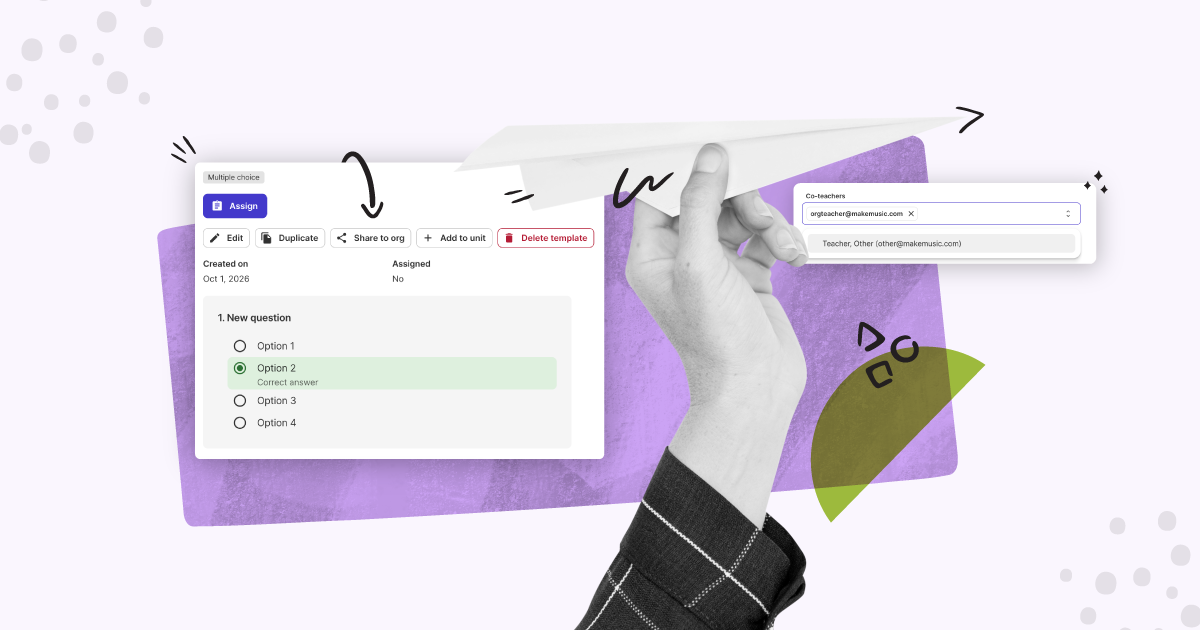
Co-teaching is one of MakeMusic’s newer features, and educators are already putting it to great use. The idea is simple: you can add another teacher to your classes, giving them real access to work alongside you. It’s better than just a peek over your shoulder.
Here’s how it works. When you add a co-teacher to your MakeMusic class, they can:
- View and manage student rosters so neither of you is in the dark about who’s in the room.
- Assign and grade work. Grading doesn’t have to pile up on one person’s desk.
- Access student performance data to track progress together and make more informed instructional decisions.
- Collaborate on repertoire and assignments, making lesson planning a genuine team effort.
This feature is especially meaningful for a few common teaching situations. If you share a large ensemble with another director, common with marching bands or large concert programs, co-teaching means you are working from the same information and not having to compare notes after the fact (or share the same login).
If you’re mentoring a student teacher, you can bring them into your MakeMusic world in a real, hands-on way rather than having them watch from the sideline. If your school has a special education co-teacher who works with students in your ensemble, having them inside the platform means they can support their students with the same context you have.
Adding a co-teacher is straightforward: from your Class Settings in MakeMusic, you can invite another teacher by email. Once they accept, you’re collaborating. It’s the kind of feature that sounds simple but genuinely changes how you work day to day.
Sharing Is Caring: Sharing A Copy With Colleagues
Earlier this year, MakeMusic introduced Multiple Choices Assessments: a quick, flexible way to check for understanding on music theory, listening, or anything else you want to assess in a more structured, multiple-choice format. If you’ve been building out quizzes and assessments, here’s some welcome news: you can now share written assignments within your MakeMusic organization.
That means if you’ve put together a great multiple choice quiz on rhythm notation, a colleague teaching a parallel section doesn’t have to start from scratch: you can share it directly. Same goes for written assignments and other resources you’ve created in the platform.
To share an assignment within your org, navigate to the assignment in your library, select the sharing option, and choose to share it with your organization. Colleagues within your org can then find it and save a copy to their own account. It’s a small workflow change with a big payoff: less time reinventing the wheel, more time doing what you actually love.
Think about what this makes possible across a department. The band directors can align on theory assessments. The choir teachers can share solfa identification exercises. New teachers joining your school can hit the ground running with a library of resources already waiting for them instead of starting from scratch every grading period.
Making Music Is Better Together
Whether you’re co-teaching a class, sharing assignments with a colleague, or just finding your people in an online community, collaboration makes you a better teacher and it makes the job more sustainable. MakeMusic is built with that in mind: giving you tools that work for how real educators actually go about their day.
You don’t have to do this alone and you shouldn’t have to.
Ready to see what MakeMusic can do for you and your students? Start a free trial and experience a smarter, more connected way to teach music.